🦞 Clawdie PRD v0.6
Product Requirements Document — personal AI assistant powered by clawdie-cp (control plane)
📄 Documents
🏷️ Project Naming
| Name | What it is | Based on |
|---|---|---|
| Clawdie | Project umbrella (this PRD) | NanoClaw, inspired by OpenClaw and others |
| clawdie-cp | Control Plane (agent runtime) | Fork of NanoClaw |
| clawdie-robot | Robot OS (CNC control) | G-code generation, hardware control |
| clawdie-vm | Browser automation (bhyve) | FreeBSD bhyve + XFCE + Chrome |
| OpenClaw | Upstream project | github.com/openclaw/openclaw |
| NanoClaw | Minimal OpenClaw distro | Base for clawdie-cp |
1. Vision
Clawdie is a lean, personal AI assistant built on top of the official OpenClaw project. It strips away the complexity of managing multiple OpenClaw versions and dozens of unused extensions, keeping only what works: Telegram chat, headless browser automation, Supabase memory, and a tmux glass-pane operator console.
She lives on a VPS, runs in a tmux session you can attach to from anywhere, and remembers everything via Supabase.
2. Problem Statement
What we have now (and why it doesn't work)
The current setup manages 3 parallel OpenClaw versions (v1, v2, v3), each with:
-
Full source trees and
node_modules(~hundreds of MBs each) - 34+ extensions loaded (most unused, causing duplicate plugin warnings)
- Cross-version contamination (v2 loads v3 plugins)
- Custom versioning scripts that create complexity
- 20+ workspace files documenting failed improvement attempts
What actually works daily
- Telegram chat interface (sole communication channel)
- exec/read/write/edit tools (basic system interaction)
- Supabase memory (archive, recall, hydrate scripts)
- tmux session with btop monitoring (the "glass pane")
- SOUL.md / IDENTITY.md personality system
What doesn't work
-
Browser automation on headless server (Chrome extension relay requires GUI)— SOLVED: Playwright installed & tested - Multi-version management (cross-contamination, path confusion)
- 34 extensions loaded when only Telegram is used
- Simple tasks like nginx config failing due to LLM model limitations
-
Contradictory instructions in AGENTS.md (e.g., restart command uses
/tmp/while rules forbid it)
"Considering amount of non working issues I think we should go official way of installing openclaw." — Sam, 12.02.2026
Inspired by Cole Medin's remote-agentic-coding-system: use a thin orchestration layer, keep it simple, let the AI model do the heavy lifting.
3. Goals
Primary goals
- Single installation — Official OpenClaw fork. No more v1/v2/v3.
- Minimal extension surface — Only Telegram + memory.
- Working browser automation — Headless Playwright/Chromium on the server.
- tmux glass-pane console — The signature feature: attach from anywhere, see everything.
- Supabase memory continuity — Migrate existing memories.
- Identity preservation — SOUL.md, IDENTITY.md, USER.md carry forward.
Non-goals
- Multi-channel support (no WhatsApp, Discord, Slack, Signal, etc.)
- Mobile companion apps, voice/wake word, Canvas/A2UI
- Device nodes, ClawHub skill marketplace
- Multi-user/multi-agent routing (single operator: Sam)
4. Domain & Branding
| Detail | Value |
|---|---|
| Domain | clawdie.si |
| TLD | .si (Slovenia) |
| Registration Date | Friday, February 28th, 2026 |
| Period | 1 Year |
| Next Due Date | Friday, February 28th, 2027 |
| Status | Registered |
Note: DNS records can be managed through the registrar's portal. Hosting remains on domedog.pro VPS.
5. Architecture two-server
Clawdie uses a split architecture: the brain (agent) runs on domedog, the eyes (browser) run on clawd. Both connected via Tailscale VPN.
debby (operator laptop - 100.66.x.y)
  |
  |-- SSH/tmux -----> domedog (brain - 100.103.x.y)
  |                     |  clawdie-cp (control plane) + Telegram + Supabase
  |                     |  tmux glass-pane (agent console)
  |                     |
  |                     |-- CDP over Tailscale (port 9223) ----+
  |                     |                                       |
  |                     |-- Robot API over Tailscale ---------+|
  |                     |                                      ||
  |-- VNC (port 5901) -> clawd (eyes - 100.108.x.y)  <--------+|
  |                          |  Xfce4 desktop + real Chrome    |
  |                          |  VNC for human monitoring       |
  |                          |  CDP for agent control          |
  |                                                           |
  +-- CNC Robot (planned) <----------------------------------+
       |  clawdie-robot (Robot OS)
       |  PicoClaw embedded controller (RISC-V)
       |  Motion control + safety systems
       |  G-code execution on CNC hardware
Why two servers?
| Concern | domedog (brain) | clawd (eyes) |
|---|---|---|
| Purpose | Agent logic, memory, chat | Browser automation |
| Why separate? | Headless — can't run real Chrome | Real desktop + Chrome passes Cloudflare |
| Operator view | tmux glass-pane (SSH) | VNC glass-pane (browser) |
| Connection | Tailscale VPN mesh (encrypted WireGuard) | |
Components
5.1 clawdie-cp — Control plane (fork of NanoClaw) running on domedog
5.2 Telegram — Sole communication channel, DM pairing policy
5.3 Browser (CDP) — Real Chrome on clawd, controlled by Playwright on domedog via Chrome DevTools Protocol over Tailscale
5.4 Supabase Memory — Archive, recall, hydrate scripts; daily memory files
5.5 tmux Glass-Pane — 3-pane layout: gateway | shell | btop
5.6 Identity — SOUL.md, IDENTITY.md, USER.md, MEMORY.md
5.7 clawdie-robot — Robot OS (planned) — CNC control system that translates OSA dome designs into G-code, manages motion planning, safety systems, and executes on physical hardware. PicoClaw (RISC-V) as embedded controller layer.
6. Configuration
SSH Access
Clawdie requires SSH access for remote management and tmux session attachment.
SSH Key Setup (Recommended)
# On your local machine, generate SSH key:
ssh-keygen -t ed25519 -C "clawdie@$(hostname)" -f ~/.ssh/clawdie

# Copy public key to server:
ssh-copy-id -i ~/.ssh/clawdie.pub clawdie@domedog.pro

# Or manually:
cat ~/.ssh/clawdie.pub | ssh clawdie@domedog.pro 'mkdir -p ~/.ssh && chmod 700 ~/.ssh && cat >> ~/.ssh/authorized_keys && chmod 600 ~/.ssh/authorized_keys'
SSH Config Entry
Add to ~/.ssh/config on your local machine:
Host clawdie
    HostName domedog.pro
    User clawdie
    Port 22
    IdentityFile ~/.ssh/clawdie
    ServerAliveInterval 60
    ServerAliveCountMax 3
Connect simply with: ssh clawdie
SSH Connection Commands
| Purpose | Command |
|---|---|
| Standard SSH | ssh clawdie |
| With tmux attach | ssh clawdie -t "tmux attach -t clawdie" |
| Read-only monitor | ssh clawdie -t "tmux attach -t clawdie -r" |
| Execute command | ssh clawdie "openclaw status" |
Environment Configuration (.env)
# Agent Identity
ASSISTANT_NAME=Clawdie
ASSISTANT_HAS_OWN_NUMBER=false

# Container/Jail Runtime
CONTAINER_RUNTIME=auto
JAIL_PATH=/jails/clawdie-cp
JAIL_IP=192.168.1.100
CONTAINER_TIMEOUT=1800000
IDLE_TIMEOUT=1800000

# Logging
LOG_LEVEL=info
TZ=Europe/Ljubljana
Disabled: All channels except Telegram, mDNS, Canvas/A2UI, device nodes, built-in browser, ClawHub, Control UI.
7. Directory Structure
/home/clawdie/clawdie-cp/
|-- package.json              # clawdie-cp (based on NanoClaw)
|-- tsconfig.json             # TypeScript config
|-- .env                      # Environment variables
|-- src/                      # Source code
|   |-- index.ts              # Entry point
|   |-- db.ts                 # Database layer
|   |-- ipc.ts                # Inter-process communication
|   +-- jail-runtime.ts       # FreeBSD jail support
|-- container/                # Container isolation
|   +-- agent-runner/         # Agent runtime
|-- .agent/skills/           # Applied customizations
|   |-- add-telegram/
|   |-- add-gmail/
|   |-- add-voice-transcription/
|   +-- x-integration/
|-- groups/                   # User groups
|-- workspace/                # Agent identity
|   |-- SOUL.md               # Personality
|   |-- IDENTITY.md           # Who am I
|   |-- USER.md               # About Sam
|   +-- MEMORY.md             # Auto-hydrated
|-- logs/                     # Runtime logs
|-- credentials/              # 600 perms
+-- node_modules/             # Dependencies
What's gone: v1, v2, v3 directories, upgrade/migration scripts, 20+ failed attempt docs.
Full Clawdie Ecosystem
/home/clawdie/
├── clawdie-cp/              # Control plane (AI assistant)
│   ├── src/                 # Agent runtime
│   ├── container/           # Jail isolation
│   ├── .agent/skills/      # Customizations
│   └── workspace/           # Identity files
│
├── clawdie-robot/           # Robot OS (CNC control)
│   ├── docs/                # Hardware/firmware docs
│   ├── firmware/            # Embedded controller (PicoClaw)
│   ├── gcode/               # G-code generation
│   ├── hardware/            # CAD, schematics, BOM
│   ├── control/             # Motion planning, safety
│   └── tests/               # Hardware-in-loop tests
│
├── clawdie-data/            # Runtime data (planned)
│   ├── agents/              # Agent sessions
│   ├── identity/            # Keys, certificates
│   └── memory/              # Persistent storage
│
└── vm/                      # VM configs (planned)
    └── bhyve/               # bhyve VM definitions
8. Migration Plan
Phase 1: Preparation
- Full backup of v2 workspace to Supabase
- Export Supabase memories locally as safety net
- Document Telegram bot token and config
- Install and configure Tailscale VPN (see Section 11)
- Set up SSH key authentication (see Section 6)
- Fork openclaw/openclaw to Sam's GitHub
- Register
clawdie.sidomain
Phase 2: Fresh install
- Clone fork to
/home/clawdie/clawdie-cp/ pnpm install- Copy identity files + memory scripts
- Create minimal
.envfile - Configure Telegram, install Playwright
Phase 3: Verify
- Start gateway manually, test Telegram
- Test exec/read/write tools
- Test Supabase memory (recall + archive)
- Test Playwright browser
Phase 4: tmux integration
-
Create
start-clawdie.sh(sets environment variables) - Test 3-pane layout, remote attach via SSH/Tailscale, crash hooks
Phase 5: Cleanup
- Stop old gateway, archive v1/v2/v3
- Move landing page to
clawdie.si
Phase 6: Browser skill
- Create Playwright wrapper skill
- Test: train search Gomila → Novo mesto
9. tmux Glass-Pane signature feature
This is Clawdie's primary differentiator. Other solutions treat the agent as a background daemon. Clawdie gives you a live terminal window into the agent's mind.
Why this matters
- Transparency — See exactly what your agent is doing
- Debugging — Errors visible immediately (no more blind nginx sagas)
- Control — Ctrl+C to stop, type commands, restart instantly
- Learning — Watch as agent reasons through problems
- Trust — Not a black box — you have a glass pane
Access patterns
| From where | Command |
|---|---|
| Local terminal | tmux attach -t clawdie |
| SSH from laptop |
ssh clawdie@domedog.pro -t "tmux attach -t clawdie"
|
| Tailscale (recommended) |
ssh clawdie@100.x.x.x -t "tmux attach -t clawdie"
|
| Monitor only | tmux attach -t clawdie -r |
Start script
start-clawdie.sh adapted from current
start-openclaw.sh: no version param, session name
"clawdie", env vars set, 3-pane layout, auto-attach.
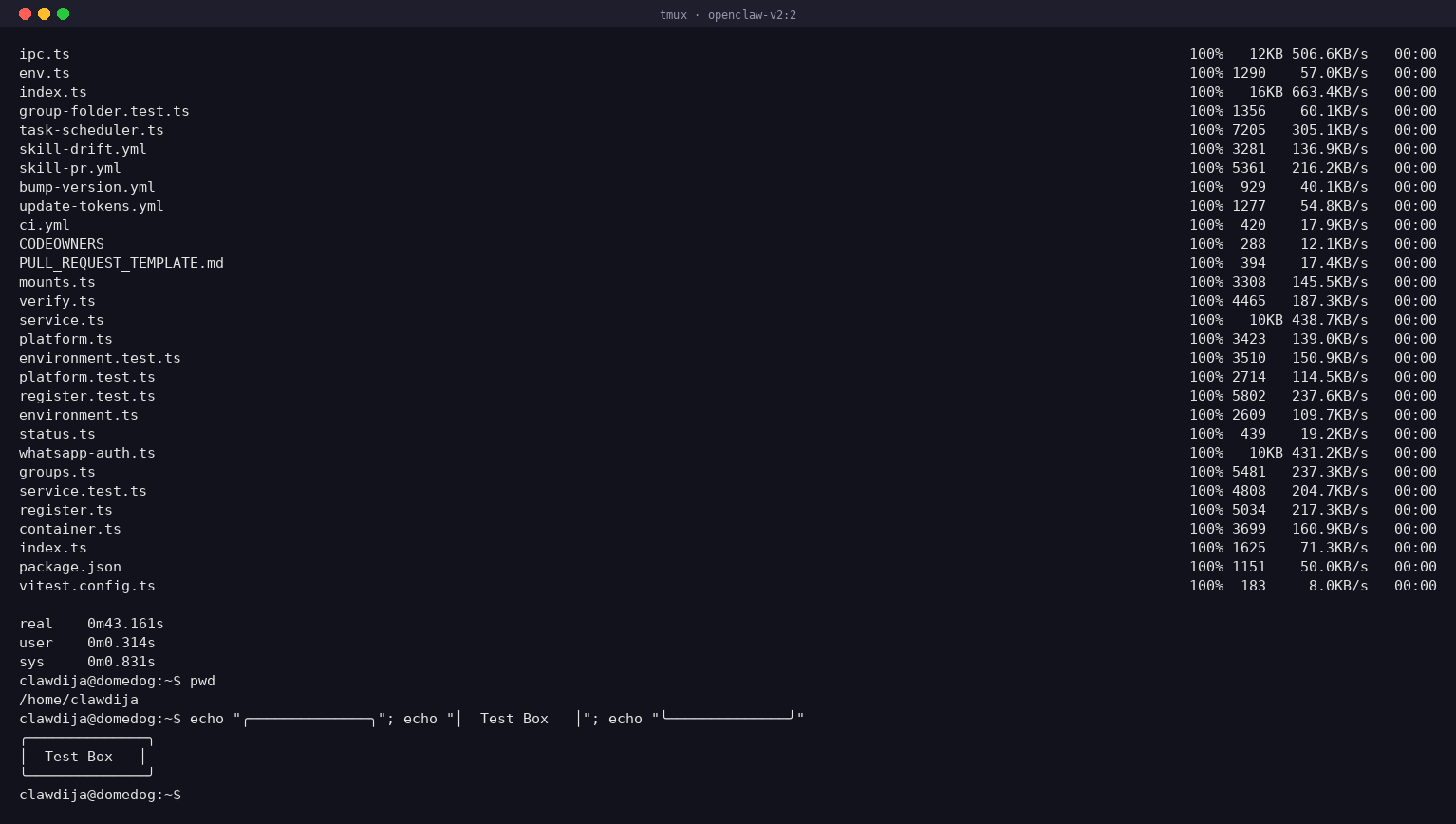
Live glass pane snapshot
10. Browser Automation (Two-Server CDP) verified
Problem: Headless Playwright on domedog gets blocked by Cloudflare Turnstile. OpenClaw's browser extension requires GUI Chrome.
Solution: Real Chrome on clawd (Xfce desktop + VNC), controlled by Playwright on domedog via Chrome DevTools Protocol over Tailscale.
Playwright on domedog connected to Chrome on clawd via CDP over Tailscale. potniski.sz.si loaded with no Cloudflare challenge. Page title: "Slovenske železnice – Potniški promet". Screenshot captured successfully.
domedog (agent)                         clawd (browser)
+-------------------+                   +-------------------+
| Playwright        |                   | Xfce4 desktop     |
| .connectOverCDP() |---Tailscale:9223-->| Chrome + CDP:9222 |
|                   |                   | socat forwarding  |
| page.fill(...)    |                   |                   |
| page.click(...)   |                   | You watch via VNC |
| page.screenshot() |                   | (glass pane)      |
+-------------------+                   +-------------------+
clawd server
| Detail | Value |
|---|---|
| Hostname | clawd.clawdie.si |
| Tailscale IP | 100.108.x.y |
| Desktop | Xfce4 + TigerVNC on :1 (port 5901, localhost only) |
| Chrome | Google Chrome 145.0.7632.75 |
| CDP port | 9223 (Tailscale) → 9222 (localhost via socat) |
| Start script | /home/clawdie/start-chrome-cdp.sh |
11. Security & Tailscale VPN recommended
Tailscale is a modern VPN based on WireGuard that creates a private, encrypted network between your devices. It's free for personal use (up to 100 devices).
Why Tailscale is essential for Clawdie
- No public SSH exposure — SSH port 22 doesn't need to be open to the internet. Eliminates brute-force attacks entirely.
- Encrypted everything — All traffic encrypted with WireGuard-grade security.
- Works anywhere — Coffee shops, hotels, mobile. Tailscale handles NAT traversal transparently.
- Device authentication — Each device gets a unique identity. Revoke access instantly from admin panel.
- Built-in firewall — ACLs let you define which devices can talk to which.
How it works
Internet (public, hostile)
    |
    v
+----------------------------+
| Your VPS (domedog.pro)     |
|                            |
|  SSH: Port 22              |  <-- Only via Tailscale (100.x.x.x)
|  Tailscale IP: 100.x.x.x   |  <-- Public port closed/firewalled
|  Gateway: 127.0.0.1:18789  |
+----------------------------+
    ^       ^       ^
    |       |       +-- Tailscale mesh (encrypted)
    |       +----------- Your laptop (100.x.x.y)
    +------------------- Your phone (100.x.x.z)
Installation & Setup
# On VPS (domedog.pro):
curl -fsSL https://tailscale.com/install.sh | sh
sudo tailscale up
tailscale ip -4

# On your laptop:
sudo tailscale up
ssh clawdie@100.x.x.x -t "tmux attach -t clawdie"
Firewall Configuration
sudo ufw allow 100.0.0.0/8  # Tailscale subnet
sudo ufw deny 22            # Block public SSH
sudo ufw enable
Security Controls
| Control | Implementation |
|---|---|
| Network | Gateway on 127.0.0.1:18789 only |
| Remote access | SSH over Tailscale VPN (no public SSH port exposure) |
| DM policy | Pairing (code required) |
| Permissions | 700 dirs, 600 credentials |
| Tools | Explicit allowlist |
| Monitoring | btop always visible in tmux |
| Memory | Supabase (off-server backup) |
Attack surface: before vs. after
| Surface | Current (v2) | Clawdie |
|---|---|---|
| Extensions | 34+ | 1 (Telegram) |
| Channels | 13+ available | 1 (Telegram) |
| Listeners | Gateway + nginx + mDNS | Gateway (loopback) |
| Browser | Chrome extension relay | Playwright (sandboxed) |
| Version dirs | 3 | 1 |
| Config files | Multiple backups | Single .env file |
12. Lessons Learned — AGENTS.md Hygiene new
Problem discovered: The v2
AGENTS.md contains a section explicitly banning
/tmp/ usage (lines 123-160), but the restart command on
lines 47-48 uses /tmp/openclaw-gateway.log. The agent
sees both and follows the concrete example over the abstract rule.
Root cause
Upstream OpenClaw docs (faq.md, logging.md,
security/index.md, health.md) all reference
/tmp/openclaw/ as default log paths. The v2
AGENTS.md was built on top of upstream docs, inheriting
their /tmp/ patterns, then a ban was added later without
updating the earlier examples.
Clawdie rule: no contradictions in agent instructions
- Every concrete example must comply with every rule — agents pattern-match examples more than rules
-
Use project-local
tmp/—/home/clawdie/clawdie-cp/tmp/for all temporary files -
Lint AGENTS.md for banned patterns —
grep -n '/tmp/' AGENTS.mdbefore deploying - Single source of truth — don't layer custom rules on top of upstream docs that contradict them
Fix applied
Updated v2 AGENTS.md lines 47-48: replaced
/tmp/openclaw-gateway.log with
/home/clawdie/clawdie-cp/logs/openclaw-gateway.log.
13. Differentiation
| Feature | OpenClaw | OpenClawd.ai | Cole Medin | Clawdie |
|---|---|---|---|---|
| Deployment | Daemon | Cloud | Docker | tmux glass-pane |
| Visibility | Background | Dashboard | Chat output | Live console |
| Browser | Chrome ext | N/A | N/A | Playwright |
| Memory | Files | Managed | PostgreSQL | Supabase |
| Identity | Optional | N/A | N/A | SOUL.md |
| Complexity | High | Hidden | Medium | Minimal |
Other solutions hide the agent behind a chat interface or web dashboard. You send a message, you get a response, but you never see what happened in between. Clawdie flips this: tmux session IS the product. The chat is one channel in, but the real experience is watching your agent think, fail, retry, and succeed — in real time, from any device.
14. Open Questions
.si registration— DONE, purchased 28.02.2026-
New user setup— DONE, will create userclawdieand use/home/clawdie/clawdie-cp/ - Fork strategy — Full repo fork and strip down, or minimal subset?
- Playwright integration — Custom skill vs. MCP server vs. tool registration?
- Upstream tracking — Cherry-pick vs. merge OpenClaw releases?
- GitHub visibility — Public (open source) or private?
- Landing page — Move from domedog.pro to clawdie.si?
- Agent model — Stay with zai/glm-4.7 or switch to Claude directly?
- Supabase tier — Free tier sufficient?
15. Success Criteria
MVP (Week 1–2)
-
✓
clawdie.sidomain registered (28.02.2026) - GitHub fork created
-
Single clean install at
/home/clawdie/clawdie-cp/ - Telegram working
- Memory scripts migrated
- tmux glass-pane working
- Old v1/v2/v3 archived
v0.2 (Week 3–4)
- ✓ Playwright installed & headless browsing verified
- Train search end-to-end success
clawdie.silanding page live- Crash recovery tested
v1.0 (Month 2)
- 2+ weeks stable daily operation
- Memory system reliable
- Browser automation reliable
- Security audit passed
- Upstream update merged at least once
16. References
17. Useful Copy Commands
Quick commands for copying the Clawdie repository between servers:
SCP (Secure Copy)
time scp -r /home/clawdija/nanoclaw clawdie@osa.smilepowered.org:~/clawdie-ai
Simple recursive copy. The time prefix shows duration.
Rsync (Recommended for Large Transfers)
time rsync -avz --progress /home/clawdija/nanoclaw clawdie@osa.smilepowered.org:~/clawdie-ai-
-a— archive mode (preserves permissions, timestamps) -v— verbose output-z— compress during transfer--progress— show transfer progress
Benefits: Progress bar, resume capability, compression, better for large transfers.
After Copy: Update Git Remote
ssh clawdie@osa.smilepowered.org
cd ~/clawdie-ai/nanoclaw
git remote set-url origin git@codeberg.org:Clawdie/Clawdie-AI.git
git remote -v
SSH Connection Troubleshooting
Test connection with verbose output:
ssh -vvv clawdie@osa.smilepowered.orgCheck if port is reachable:
nc -zv osa.smilepowered.org 22FreeBSD PF Firewall Checks (if connection blocked)
Check your current IP:
curl -4 ifconfig.meOn osa (if you have console access):
# Check if PF is running
sudo service pf status

# View PF tables (where blocked IPs might be)
sudo pfctl -s tables

# Check specific table (e.g., bruteforce, blocked)
sudo pfctl -t bruteforce -T show
sudo pfctl -t blocked -T show

# If your IP is listed, remove it
sudo pfctl -t bruteforce -T delete YOUR_IP_ADDRESS
sudo pfctl -t blocked -T delete YOUR_IP_ADDRESS

# View PF rules
sudo pfctl -s rules | grep -i block

# Check PF logs
sudo tail -50 /var/log/pflog
# Or: sudo tcpdump -n -e -ttt -i pflog0
Temporarily disable PF (not recommended for production):
sudo service pf stopReload PF rules after changes:
sudo service pf reload18. Firewall Design (IPv4 + IPv6)
Proper PF firewall configuration with explicit IPv4 and IPv6 support for all services.
/etc/pf.conf
ext_if="vtnet0"
tailscale_if="tailscale0"

# skip loopback
set skip on lo0

# default block everything
block all

# allow established/related connections (both IPv4 and IPv6)
pass out all keep state

# ---------------------------------------
# SSH access
# ---------------------------------------

# OPTION A (current): allow SSH from public internet (IPv4 + IPv6)
# remove this when switching to Tailscale only
pass in quick on $ext_if inet proto tcp to port 22 keep state
pass in quick on $ext_if inet6 proto tcp to port 22 keep state

# OPTION B (future): allow SSH via Tailscale only
# uncomment these and remove OPTION A when ready
#pass in quick on $tailscale_if proto tcp to port 22 keep state
#block in quick on $ext_if proto tcp to port 22

# ---------------------------------------
# Web traffic
# ---------------------------------------

# HTTP - required for Let's Encrypt renewals (IPv4 + IPv6)
pass in quick on $ext_if inet proto tcp to port 80 keep state
pass in quick on $ext_if inet6 proto tcp to port 80 keep state

# HTTPS - website (IPv4 + IPv6)
pass in quick on $ext_if inet proto tcp to port 443 keep state
pass in quick on $ext_if inet6 proto tcp to port 443 keep state

# ---------------------------------------
# Tailscale (WireGuard UDP) (IPv4 + IPv6)
# ---------------------------------------
pass in quick on $ext_if inet proto udp to port 41641 keep state
pass in quick on $ext_if inet6 proto udp to port 41641 keep state
Key Design Principles
-
Explicit address families:
inetfor IPv4,inet6for IPv6 - Duplicate rules: Each service has both IPv4 and IPv6 rules
-
Default deny:
block allas default policy -
Stateful inspection:
keep stateallows return traffic automatically -
Quick matching:
quickstops rule processing on match
Apply Configuration
# Backup current config
sudo cp /etc/pf.conf /etc/pf.conf.backup

# Edit the file
sudo vi /etc/pf.conf

# Test the config (dry run)
sudo pfctl -nf /etc/pf.conf

# If no errors, reload PF
sudo service pf reload

# Verify rules loaded
sudo pfctl -s rules | grep -E "22|80|443|41641"
Verify IPv6 is Working
# Test IPv6 SSH connection (should be fast now)
ssh -6 clawdie@osa.smilepowered.org

# Check PF is processing IPv6 packets
sudo pfctl -s info | grep -i ipv6

# View IPv6 addresses on interfaces
ifconfig | grep inet6
Troubleshooting IPv6
If IPv6 still slow or hanging:
# Check if SSH is listening on IPv6
sudo sockstat -l | grep :22

# Should show both:
# *.22 (IPv4)
# *.22 (IPv6) or :::22

# If missing IPv6, check sshd_config
sudo grep -i address /etc/ssh/sshd_config

# Should be:
# AddressFamily any
# or commented out (defaults to any)

# Restart SSH if changed
sudo service sshd restart
IPv6 Address Family Options
# In /etc/ssh/sshd_config:

# Listen on both IPv4 and IPv6 (default)
AddressFamily any

# IPv4 only
AddressFamily inet

# IPv6 only
AddressFamily inet6
Note: The explicit inet and
inet6 rules in PF make it crystal clear that both
protocols are supported, preventing connection delays caused by IPv6
fallback timeouts.